
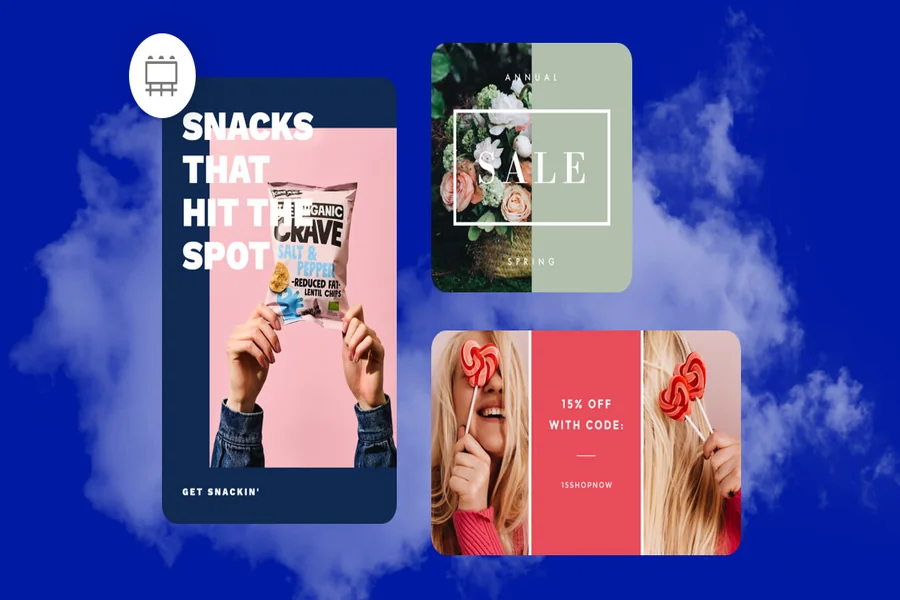
In advertising, visuals are the first handshake with your audience. Before they read your headline or consider your offer, they see your image—and that single frame can determine whether they scroll past or stop to engage. This is why brands today are relying more heavily on ad makers to integrate polished, high-quality photos seamlessly into their campaigns. Whether you’re a content creator, business owner, or marketer, understanding how an online ad maker supports this process can dramatically improve your ad performance.
Why High-Quality Photos Matter More Than Ever
Visuals account for up to 90% of an ad’s initial impact, and research from MDG Advertising shows that ads with strong images get significantly higher engagement than those relying on text alone. But quality alone doesn’t seal the deal—it’s the combination of sharp imagery, platform fit, and message alignment that drives results. This is where ad makers excel. They bring structure, consistency, and efficiency to what used to be a clunky, multi-step creative workflow.
These tools help marketers pair the right images with the right formats, reduce time spent on editing, and ensure that every creative element—from layout to color palette—supports brand identity. The result is an ad that feels intentional, cohesive, and visually compelling.
How Ad Makers Streamline Photo Integration in Advertising
Modern ad makers are built to simplify the creative process without sacrificing quality. They’re designed with marketers in mind, offering flexible tools that make it easy to import, adjust, and enhance photos for different ad formats and placements.
Here’s what makes them so powerful:
1. Smart Layouts That Prioritize Visual Impact
Instead of forcing you to guess where your high-quality photo should sit, ad makers often include smart templates that highlight your image while balancing text and call-to-action elements. These layouts are UX-tested, meaning they’re designed to attract attention and encourage clicks.
2. Built-In Photo Editing for Faster Adjustments
No need to open a full photo editing suite. Ad makers incorporate lightweight editing tools—brightness, contrast, cropping, filters, background removal—so creators can finesse images directly within the ad workspace. This keeps everything quick and centralized.
3. Automatic Resizing for Different Platforms
Running ads across multiple channels? Great—but each platform demands its own aspect ratio. Ad makers automatically resize photos for Facebook, Instagram, Google, LinkedIn, and more, eliminating distortions and manual adjustments.
4. Brand Consistency Through Style Presets
Color grading, logo placement, and typography can all be saved as presets. This ensures every ad using your high-quality photos feels coherent, regardless of who’s handling the design.
5. Performance-Driven Optimization
Some advanced ad makers track performance across multiple image variations, helping you identify which photos are driving engagement, clicks, or conversions. With this data, you’re not guessing—you’re scaling what works.
How to Choose the Right Photos for Your Ads
Even the best ad maker can’t fix a truly poor photo. So selecting the right visuals is crucial.
Here’s what to look for:
- Sharp focus and good lighting: Grainy or pixelated shots instantly reduce credibility. Clear, bright photos perform up to 3x better according to Social Media Today.
- Relevant subject matter: Your image should visually answer the viewer’s question: “What is this ad about?”
- Emotionally engaging content: Photos with facial expressions or dynamic action increase engagement rates by 40–60%.
- Room for text overlay: Leave negative space when possible to avoid cluttered compositions.
Step-by-Step: Integrating High-Quality Photos Using an Ad Maker
Here’s a simple workflow anyone can replicate:
Step 1: Upload or Select Your Image
Choose a high-quality photo from your own files or the ad maker’s stock library.
Step 2: Apply Quick Enhancements
Use built-in sliders to adjust color balance, remove blemishes, or tweak exposure. You can explore categories on Voomixi Com.
Step 3: Choose a Template
Pick a template optimized for your ad goal—brand awareness, product showcase, lead generation, etc.
Step 4: Insert Your Messaging
Add your headline and CTA, ensuring the text doesn’t overpower the image.
Step 5: Optimize for Placement
Export multiple versions in recommended aspect ratios—portrait for Stories, square for feeds, landscape for desktop.
Step 6: Test, Analyze, Improve
Run A/B tests with different photos and track metrics like CTR, CPC, and conversions.
Real-World Example: The Impact in Numbers
A Shopify study found that brands using professionally shot or enhanced photos in their ads saw:
- 30% higher click-through rates
- 20–25% lower cost per click
- Higher time-on-page after ad click
When combined with ad maker optimization—layouts, sizing, and color consistency—the results are even stronger.
Common Mistakes to Avoid
Even with powerful tools, marketers sometimes fall into these traps:
- Using busy backgrounds that distract from the product
- Over-editing photos, making them look artificial
- Inconsistent styles across an ad series
- Ignoring platform guidelines (e.g., too much text for Facebook ads)
Avoid these, and your visuals will not only look better—they’ll convert better.
Final Thoughts
High-quality photography is the backbone of effective advertising, but integrating those photos into ads shouldn’t be a complicated or time-consuming task. Ad makers bridge the gap between creativity and efficiency, allowing anyone—from small business owners to experienced marketers—to produce ads that stand out visually and drive real results.
By combining strong images with smart templates, streamlined editing, and performance insights, you set the stage for scalable, high-performing campaigns. Start experimenting with your next ad, and you’ll quickly see how the right tools make all the difference.

My name is Hamza Sarwar. I Am a professional content writer.